Article · Apr 21, 2026
How to audit a Lovable app after the BOLA disclosure: a 6-hour rotation playbook
Audit checklist I ran on a client's Lovable app after the April 2026 BOLA disclosure, plus the key rotation and Chrome extension SDK migration.
If you own a Lovable app and you woke up to the BOLA disclosure on April 20, 2026, one question mattered: is my project exposed, and what do I do in the next six hours? This post is the checklist I actually ran on a client’s Lovable + Supabase platform that morning, in the order I ran it, with the gotcha that almost broke the rotation at hour five.
What is the Lovable BOLA vulnerability?
BOLA (Broken Object Level Authorization): a class of API vulnerability where the server verifies your session token is valid but trusts you to ask only for objects that belong to you, without re-checking ownership on each request. It sits at number one on the OWASP API Security Top 10 because it is easy to miss and catastrophic when exploited.
Security researcher Matt Palmer publicly disclosed the Lovable instance on April 20, 2026, after a 48-day private window through Lovable’s HackerOne program. Five API calls from a free Lovable account were enough to enumerate other users, pull the source code of their public projects, and read database credentials, API keys, and chat history straight out of the codebase. Every project created before November 2025 was potentially in scope.
The platform I was managing for a client sat on the standard Lovable stack: a React front-end, Supabase as the backend (Postgres + Auth + Storage + Edge Functions), and a Manifest V3 Chrome extension talking to the same Supabase API. The audit below maps cleanly to any Lovable + Supabase + extension setup. If your stack is Lovable + Firebase or Lovable + Convex, the audit shape holds; the rotation commands change.
Is my Lovable app vulnerable? Three checks in under an hour
Before touching any keys, I needed a defensible answer. Three checks did it.
1. When was your project created?
The vulnerable code path was patched server-side around November 2025. If your project was created after that window, the path you’d have been exposed by no longer existed when your code was generated. That is a likely-not-vulnerable signal, not a guarantee: according to Lovable’s post-mortem, the bug came back in February 2026 after a regression. Nothing rules out a future one.
The platform I was looking at was created after the cutoff. First check: partial green.
2. Where do your secrets live?
There are two ways a Lovable + Supabase app can hold credentials, and only one survives a BOLA-class disclosure:
- Auto-injected at runtime through Lovable’s Secrets manager and Supabase Edge Function environment variables. Credentials never appear in source files. Even if an attacker pulled your source, they would not have your live database password or your Stripe key.
- Hardcoded into source files, the way many Lovable projects ship when an operator pasted keys into chat or followed older tutorials that used
lovable add envpatterns. This is where the disclosure hurts.
I confirmed every secret was auto-injected. Nothing in the source. Second check: green.
3. Are there unauthorized-access signals in your audit logs?
Pull the last two weeks of:
- Supabase Auth events (sign-ins from unfamiliar IPs or regions).
- Edge Function invocations (spikes from sources you don’t recognize).
- Postgres connection counts (activity outside your known automation windows).
- Service-role key usage (should be zero outside Edge Functions; any direct usage is a flag).
Nothing anomalous across all four. Third check: green.
Likely not is not a thing you can tell a paying client. It is a thing you carry into the next decision.
The 6-hour key rotation, in order
I rotated everything. The order matters more than the count, because each step depends on the previous step’s keys still being live.
- Supabase API keys first. Issue new publishable and secret keys in the Supabase dashboard. Do not revoke the old ones yet. Update every Edge Function’s environment variables, every server-side integration, and every front-end build to use the new keys. Deploy. Verify. Then revoke the legacy keys.
- Email-service token. Issue a new token from your transactional email provider (Postmark, Resend, SendGrid), swap the env var, redeploy the function, delete the old token. Send a verification email through the new credential before moving on.
- Cron / scheduled-task secret. Regenerate the shared secret, update it in your cron platform’s settings (Cron-Job.org, EasyCron, GitHub Actions, whatever), and trigger one manual run to confirm.
- Chrome extension auth. This is where the rotation almost died. Full section below.
- End-to-end verification. Walk every authenticated user flow manually: signup, login, the main CRUD paths, the cron-triggered automations, the email round-trips. Every one comes back green before you close the ticket.
The old keys were dead before the news hit Twitter. That timeline is only possible because the project already had a CLAUDE.md at the repo root naming every credential boundary, an ISSUES.md documenting the auth pattern from earlier work, and a prompts/ folder I could grep for “secret” or “token” to find every place a credential touched code. Without those, the same rotation is a multi-day investigation. (That four-part system is the next post in this series.)
The hardest part: Supabase publishable keys broke the Chrome extension
The web app was already on the Supabase JS SDK, so the rotation went through it without a code change. The Chrome extension was not. It was doing direct fetch() calls with hand-rolled token refresh logic, which had been correct under the legacy Supabase JWT keys (eyJhbGc…) and was now silently broken under the new publishable keys (sb_publishable_…).
Why? Because Supabase’s new key format is not a JWT. PostgREST will accept sb_publishable_… as an apikey header only when it arrives through the official client, which knows how to combine the publishable key with the user’s session JWT in the right shape. Send the publishable key as a raw apikey from a fetch() wrapper and PostgREST 401s every authenticated request.
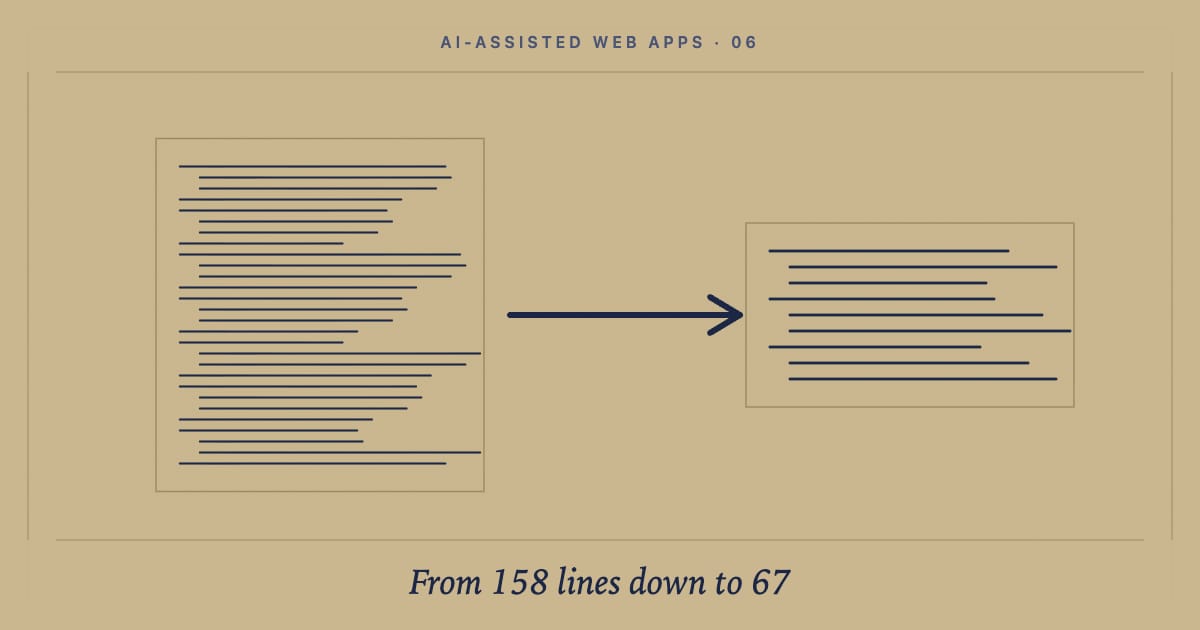
The fix was structural. I deleted seven hand-rolled fetch wrappers, migrated the extension to @supabase/supabase-js, and routed every query and insert through one client instance. The rewrite is its own post: I deleted 158 lines of auth code. Replaced it with 67.
One seam I did not see coming: the SDK defaults to localStorage for session persistence, but a Manifest V3 service worker has no localStorage and no window object at all. Sessions stopped persisting between popup opens. Every click logged the user out.
Pointing the SDK at chrome.storage.local through a thin adapter fixed it:
import { createClient } from '@supabase/supabase-js';

export const supabase = createClient(URL, PUBLISHABLE_KEY, {
  auth: {
    storage: {
      getItem: async (k) => (await chrome.storage.local.get(k))[k] ?? null,
      setItem: (k, v) => chrome.storage.local.set({ [k]: v }),
      removeItem: (k) => chrome.storage.local.remove(k),
    },
    autoRefreshToken: true,
    persistSession: true,
    detectSessionInUrl: false,
  },
});
Three method bridges, three flags, one config block. The SDK’s session machinery handled refresh, retry, and headers from there.
What a disclosure day actually tests
Build tools build fast. They don’t build defensively.
No build tool will rotate your keys when a disclosure drops. No build tool will audit what is actually exposed. No build tool will trace a breaking change through four connected systems and tell you which one will go quiet at three in the morning. No build tool will sit on a call with a founder and explain, calmly, that the rotation is done and what they should tell their users.
The default state of every Lovable, Cursor, and Claude Code project I’ve inherited is the same: real build, mostly sound architecture, security posture that is fine until it isn’t. Defensive engineering is a separate axis. You bring it on top of the build.
If your platform was assembled with a build tool and you’re wondering whether you’d have caught this in the first hour, the question isn’t whether your build is good. It’s this:
If a vulnerability dropped today, do you know who would handle it?
Next steps
- If you inherited a Lovable, Cursor, or Claude Code project and want the four-part system that made this rotation a six-hour exercise: How I document vibe-coded projects.
- If you want the Supabase publishable-key migration walked through end-to-end, including the
chrome.storage.localadapter and the sevenfetchwrappers I deleted: Migrating to Supabase publishable keys broke my Chrome extension. Here is the fix. - If you want a second set of eyes on your Lovable or Claude Code app before the next disclosure, let’s talk. I work with founders and product teams across North America, the UK, Ireland, the EU and EEA, and ANZ on production builds that hold up under scrutiny.
Frequently asked questions
What is the Lovable BOLA vulnerability?
BOLA stands for Broken Object Level Authorization, the number-one entry on the OWASP API Security Top 10. The Lovable instance, disclosed publicly on April 20, 2026 by researcher Matt Palmer, let any user with a free Lovable account make five API calls to enumerate other users, pull the source code of their public projects, and read database credentials, API keys, and AI chat history out of that source. Every Lovable project created before November 2025 was potentially in scope. The fix has shipped server-side, but credentials that were exposed during the 48-day private-disclosure window need to be rotated.
Is my Lovable app vulnerable to the BOLA disclosure?
Run three checks. First, when was your Lovable project created? Projects created after the November 2025 server-side fix had the vulnerable path patched before they shipped. Second, where do your secrets live? If they were auto-injected through Lovable's Secrets manager and Supabase Edge Function environment variables, they were never in the readable source. If they were pasted into chat or written into source files, they were. Third, are there unauthorized-access signals in your Supabase Auth events, Edge Function invocations, Postgres connection counts, and service-role key usage? Spikes from unfamiliar regions are the red flag.
In what order should I rotate Supabase keys after the BOLA disclosure?
Rotate in dependency order so each step's old keys remain live until the new keys are verified. First, issue new Supabase publishable and secret keys, update every Edge Function environment variable and front-end build, redeploy, verify, then revoke the legacy keys. Second, rotate the email-service token (Postmark, Resend, SendGrid). Third, rotate any cron or scheduled-task shared secrets. Fourth, migrate any Chrome extension or non-browser client to the Supabase JS SDK if it was using hand-rolled fetch wrappers. Fifth, walk every authenticated user flow end-to-end before closing the rotation.
Why did the Supabase publishable-key migration break my Chrome extension?
The new Supabase publishable keys (sb_publishable_*) are not JWTs. PostgREST will accept them as an apikey header only when the request also presents a properly-formed user JWT in the Authorization header, in the exact shape the official @supabase/supabase-js client produces. Hand-rolled fetch wrappers that worked under legacy JWT keys will return 401 under the new format. The fix is to migrate to the SDK, then point the SDK at chrome.storage.local through a custom storage adapter so sessions persist between Manifest V3 service-worker restarts.