Article · Aug 3, 2025
Self-Host n8n in Minutes - No Terminal Commands, No Code (Step-by-Step)
Want to self-host n8n without using SSH, Docker, or YAML? Learn how to deploy n8n on Hostinger in minutes with this beginner-friendly, no-code guide.
Good news: It’s 2025. You don’t have to be a DevOps wizard to self-host n8n.
🔹 TL;DR: You can self-host n8n on Hostinger in just a few clicks - no terminal, no Docker, and no code. This beginner-friendly guide walks you through setting up a VPS, installing n8n, and activating a free license. Perfect for non-techies, automation geeks, and anyone tired of cloud pricing.
In this guide, I’ll show you how to self-host n8n on Hostinger in just a few minutes. No terminal. No SSH. No Docker CLI. No YAML. Just simple steps - perfect for non-techies, automation geeks, or anyone tired of Cloud pricing.
🛑 But Isn’t Self-Hosting Hard?
Normally, yes, for people who don’t know how to set up a server. Most tutorials tell you to:
-
Spin up a VPS
-
Install Docker via the terminal
-
Run
docker-compose -
Configure environment variables manually
-
Pray nothing breaks
But if you’re using Hostinger, there’s a shortcut. You can deploy n8n using Hostinger’s App Installer and a few clicks.
Let me walk you through it.
Step 1: Log in to your Hostinger account
Go to https://auth.hostinger.com/in/login and provide your information.
Step 2: Set up VPS
Go to the VPS section and choose KVM VPS
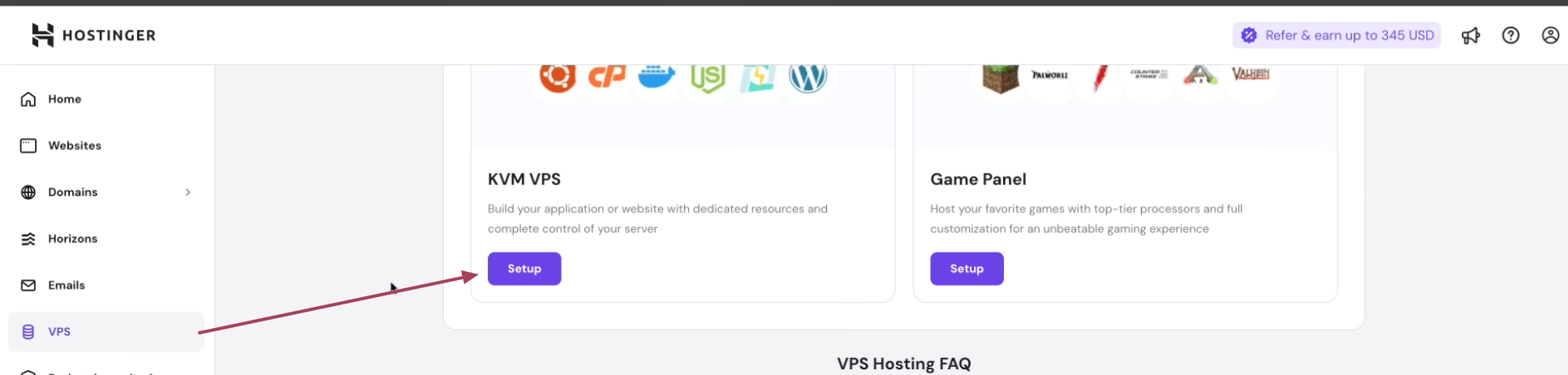
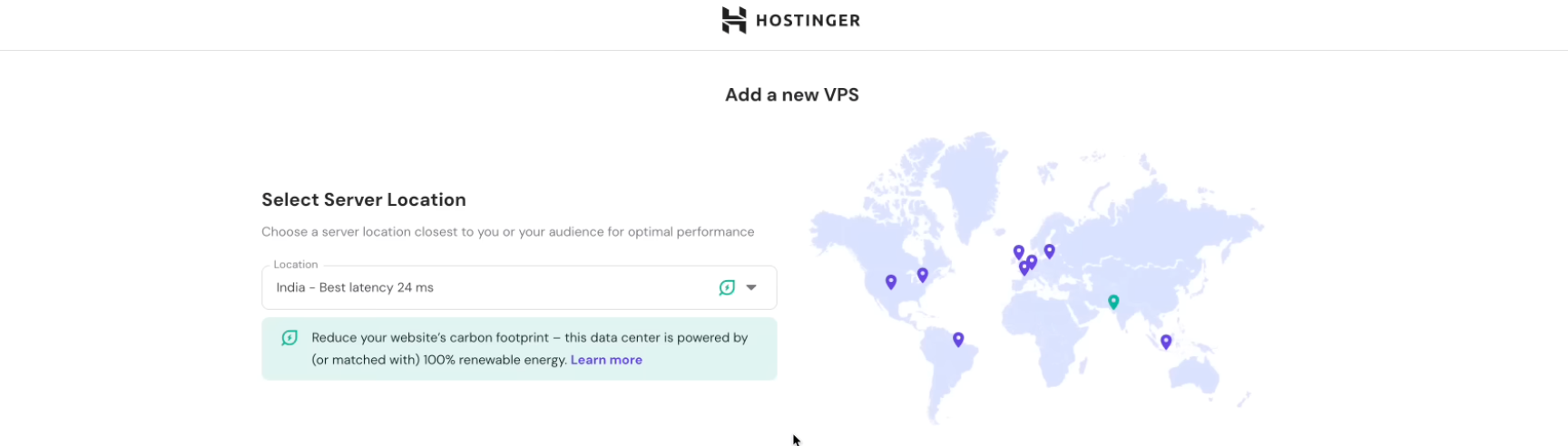
Select server location: For me, it’s INDIA. You can choose your nearest server location
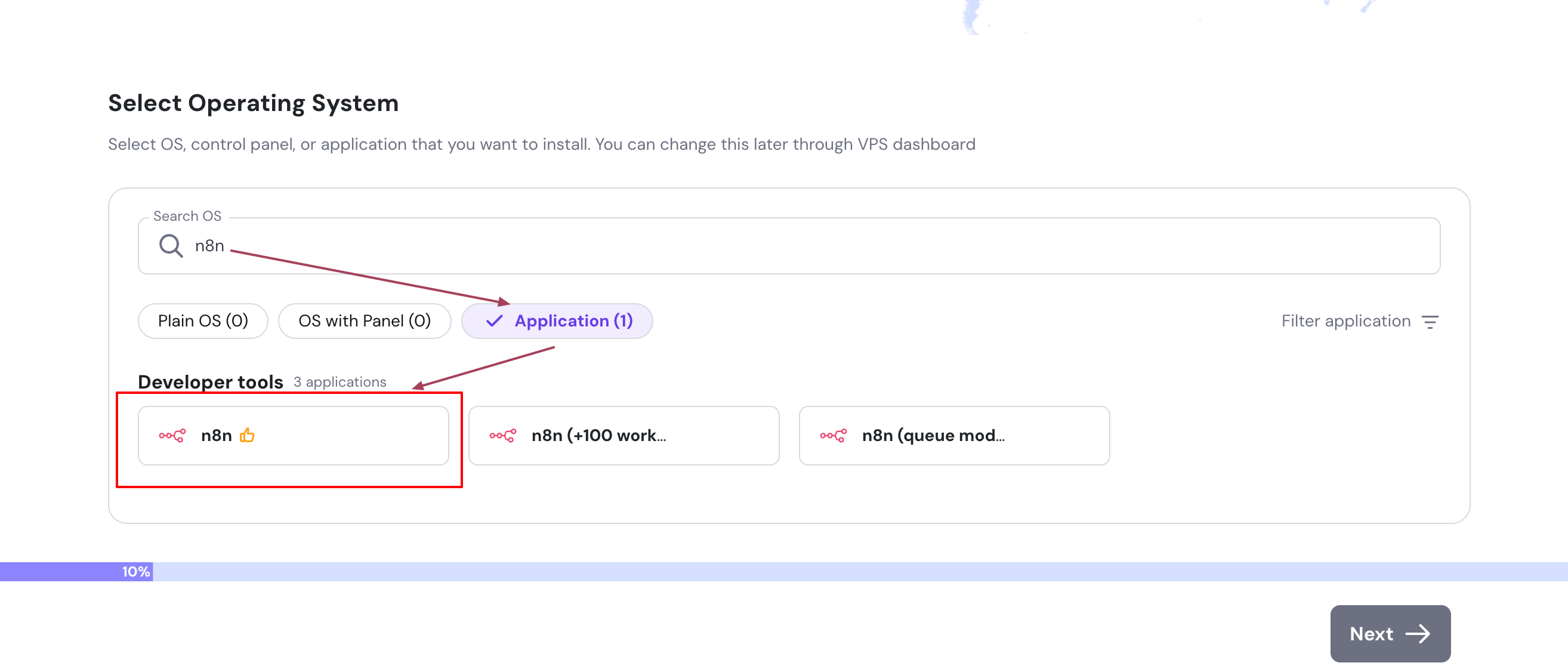
Now search for n8n in the operating system
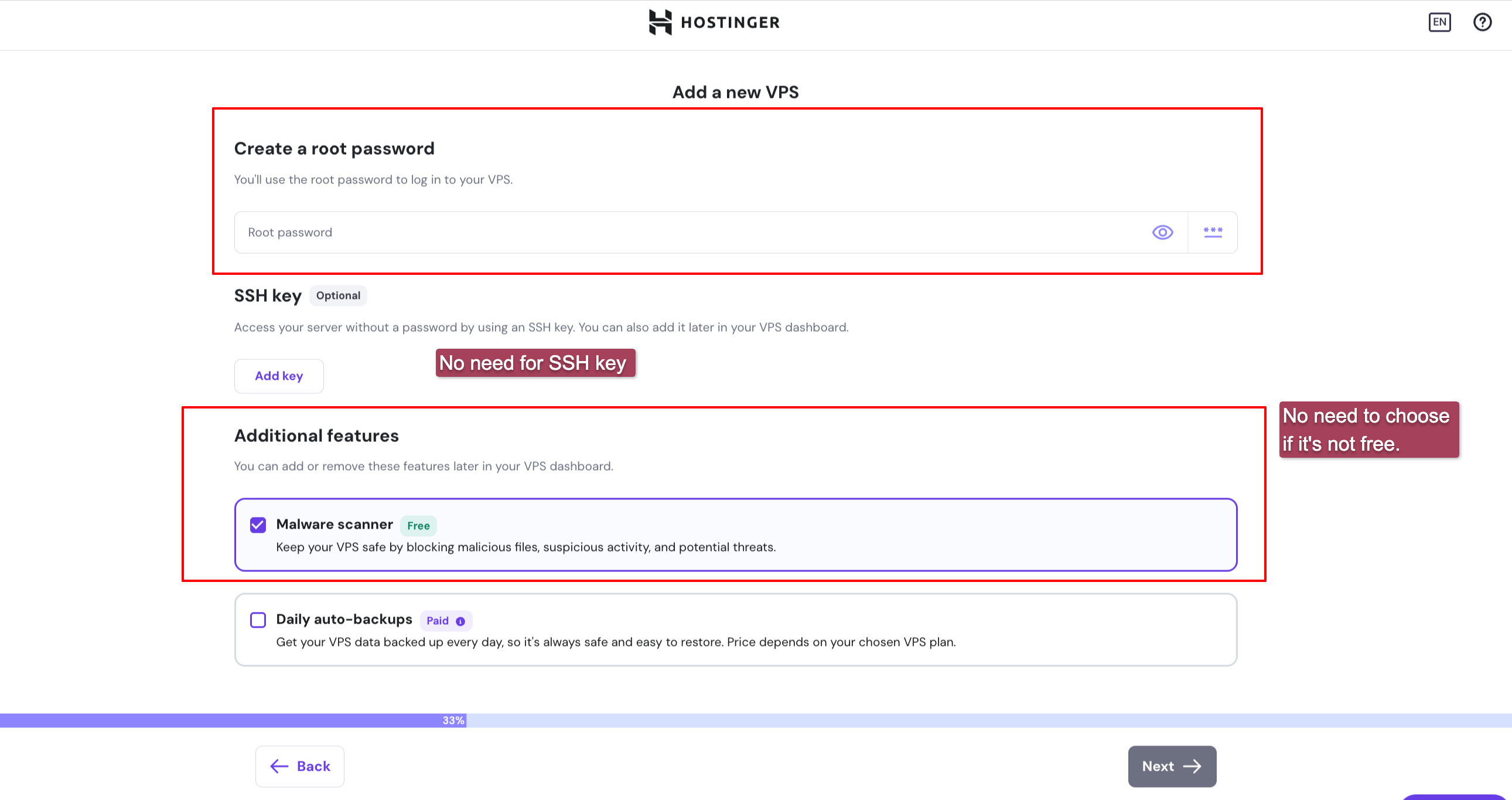
Now, set up the root password
Now choose a plan. If Hostinger is providing price parity for your location, opt for it. I think KVM 2 is good enough.
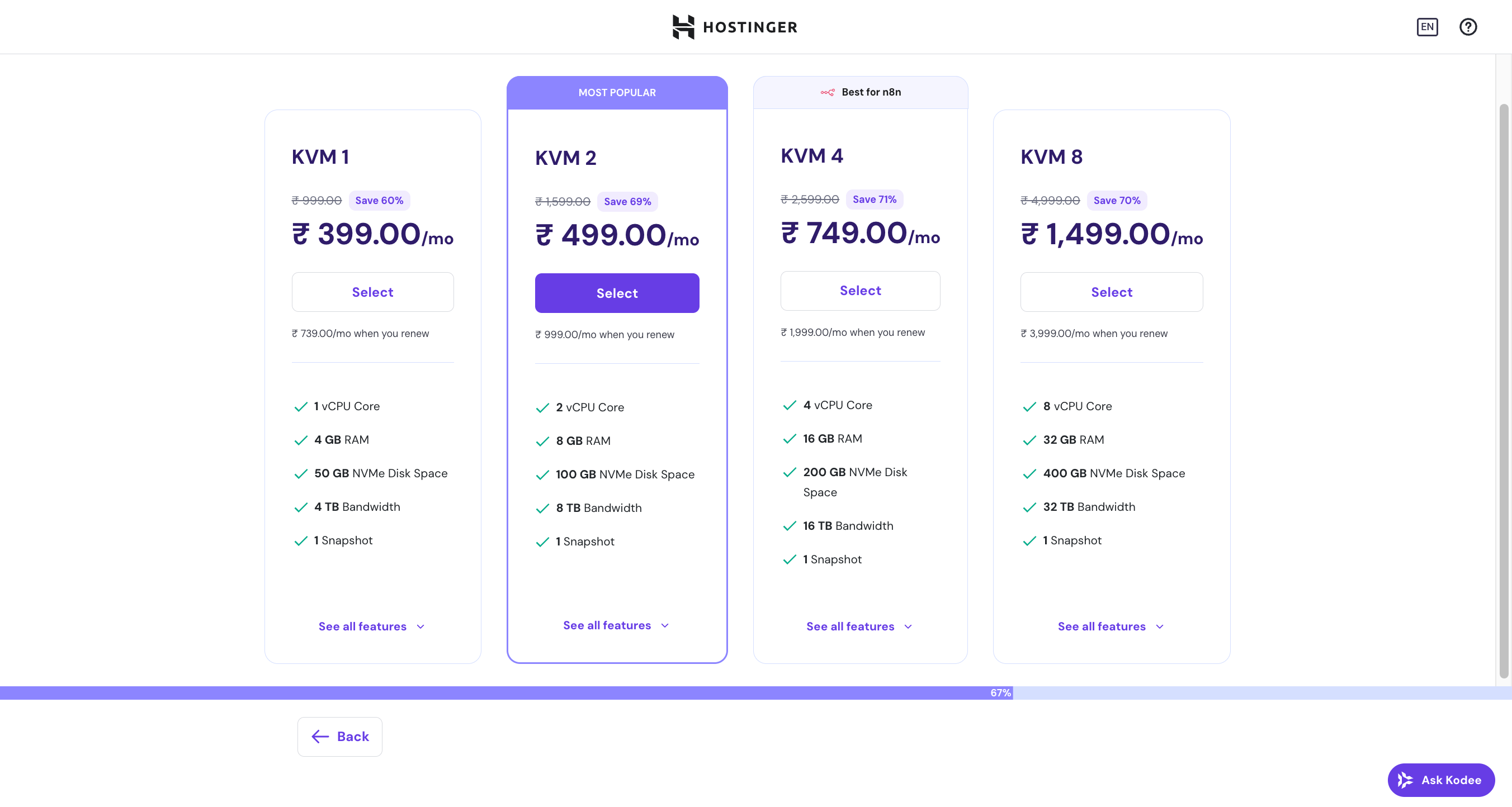
Once you select the plan and complete the payment, the n8n hosting will be initiated automatically.
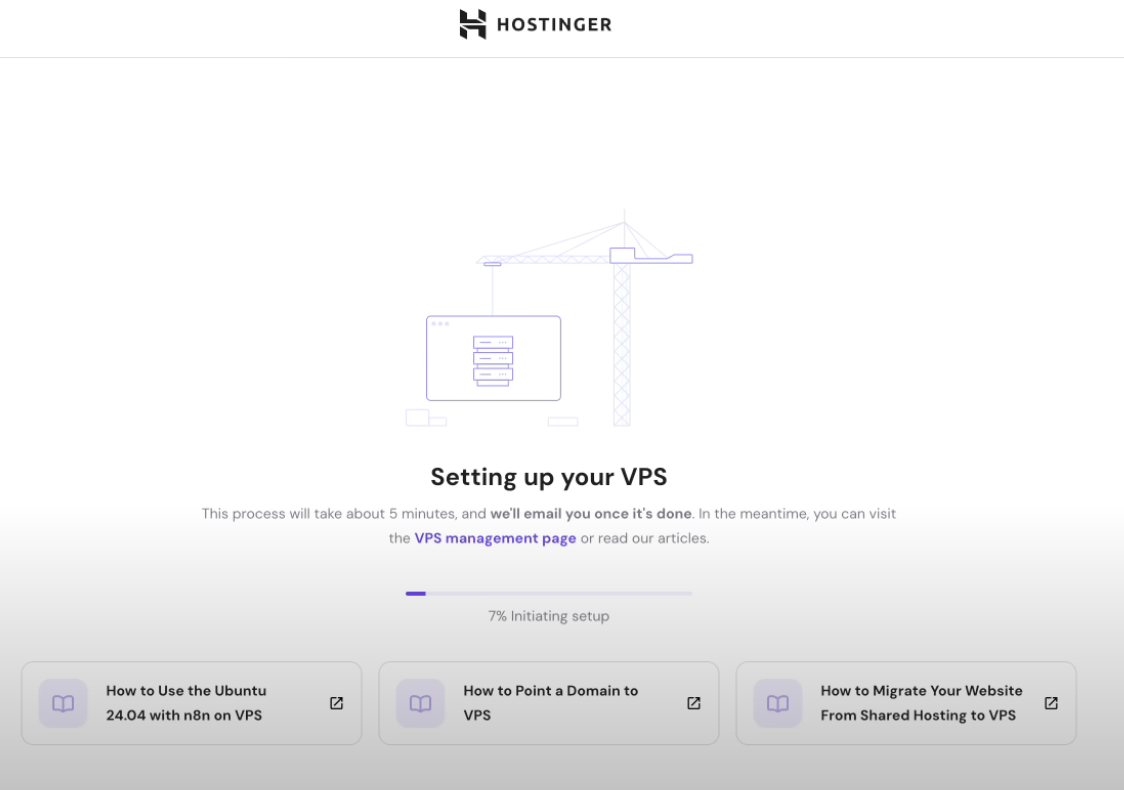
Once the setup is completed, you can go to manage the VPS
Step 3: Manage VPS
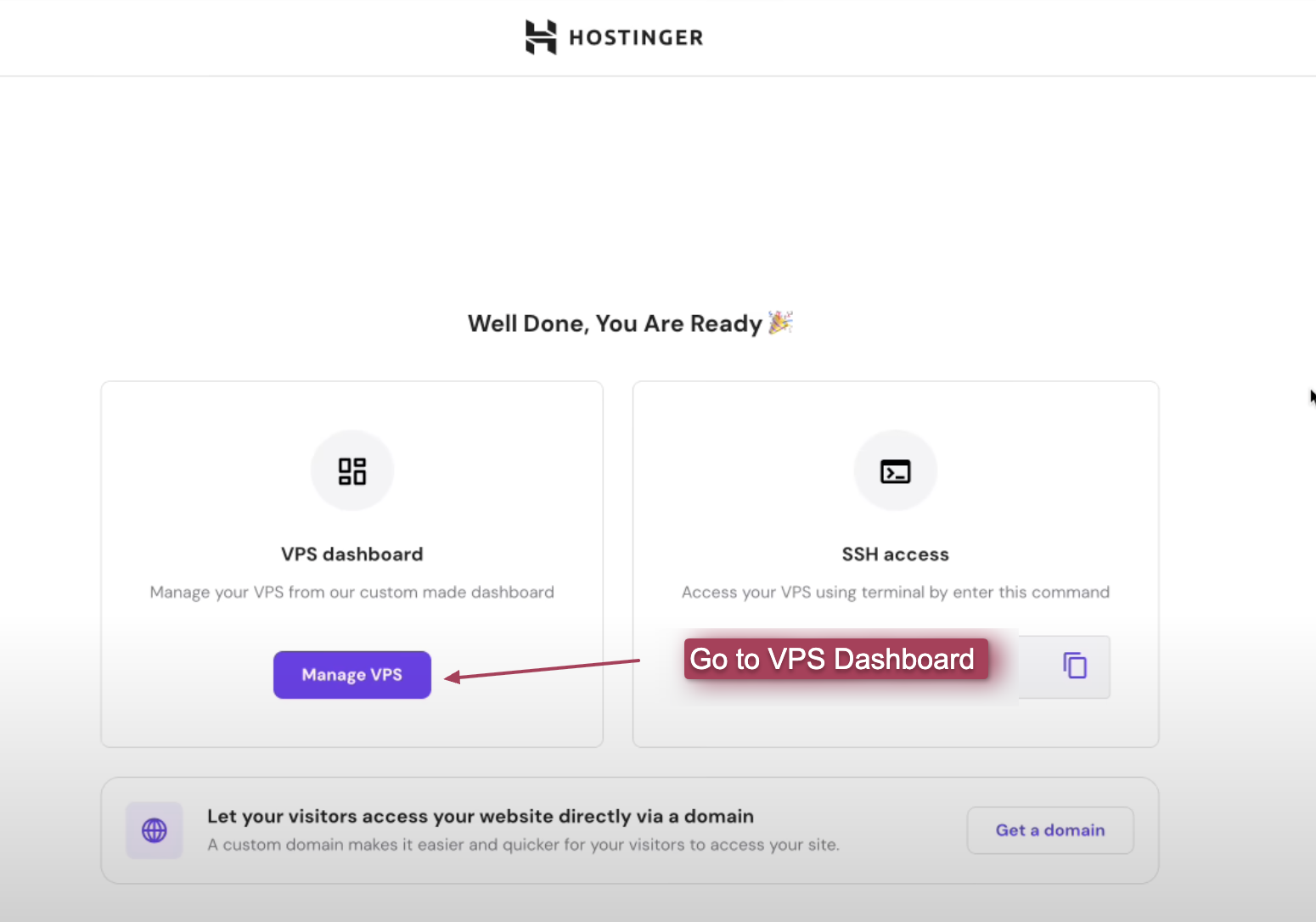
On Dashboard → VPS → Click on Manage app

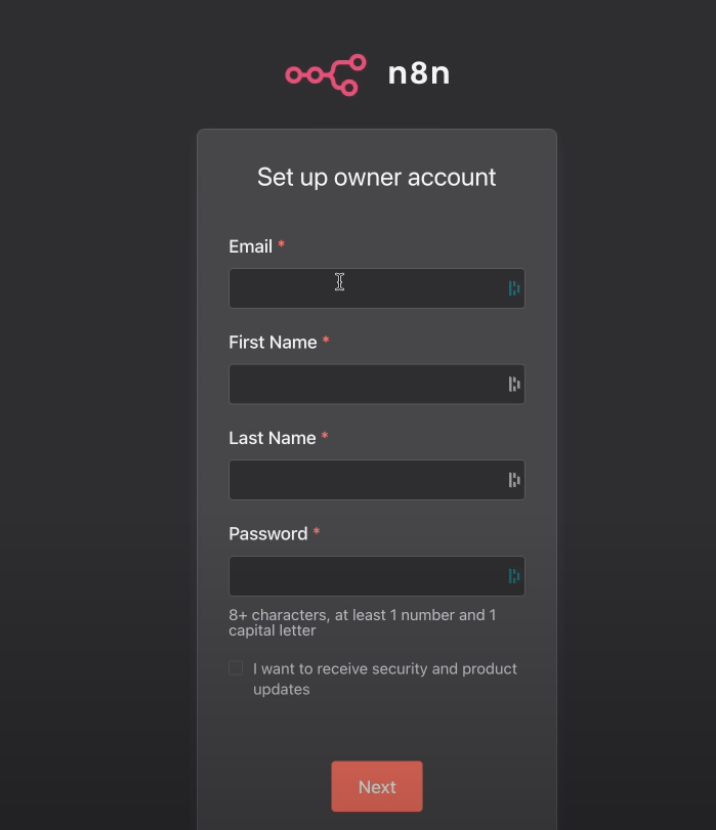
Now you can set up an owner account
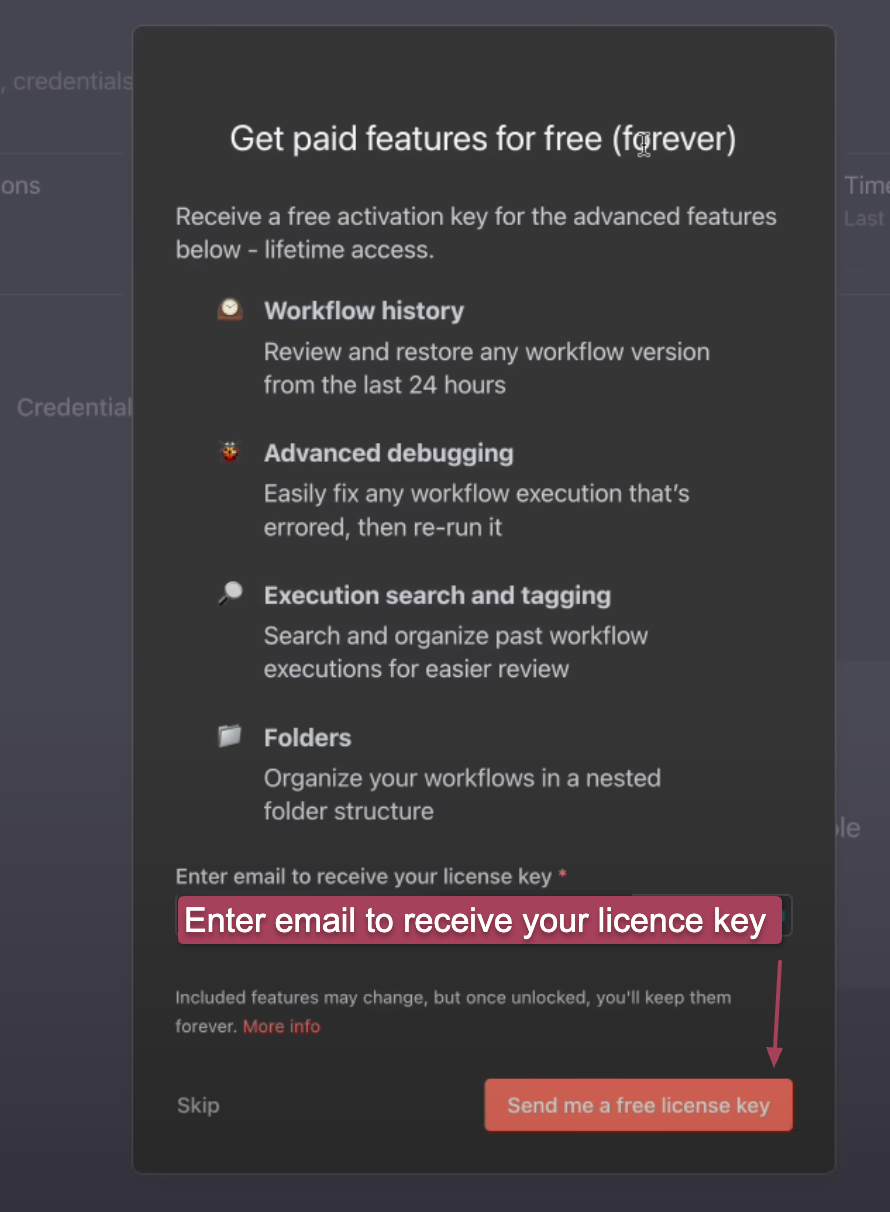
After setting up the owner account, Hostinger is currently providing some lifetime free features. Just enter your email ID and receive the license key within minutes.
Now go to usage and plan to activate the license using the license key received in your email.
After this, you can sign up with your owner credentials and start using n8n on your self-hosted server.
You don’t need to be a developer to self-host n8n anymore. Tools like Hostinger have made it a click-and-go easy.
Whether you’re automating lead generation, connecting Airtable and Gmail, or syncing your Notion database, n8n can handle it.
And now you can host it yourself - no terminal required.
❓ FAQs
Can I self-host n8n without Docker or terminal access?
Yes! Hostinger’s App Installer allows you to set up n8n on a VPS without using Docker, SSH, or any command-line tools.
Is there a free version of n8n when self-hosting?
Yes. Hostinger currently offers a lifetime license key for some advanced n8n features like workflow history, folder organization, and more - just enter your email during setup to claim it.
Who should use this self-hosting method?
This guide is ideal for non-techies, no-code builders, indie hackers, and automation enthusiasts who want to control their infrastructure without touching the terminal.
How long does it take to set up?
On average, it takes about 10–15 minutes to fully deploy and configure n8n using Hostinger.
Is Hostinger the only way to self-host n8n?
No, there are other ways (e.g., DigitalOcean, Railway, Docker CLI), but Hostinger offers one of the easiest no-code paths for beginners.
Frequently asked questions
Why self-host n8n instead of using n8n Cloud?
Self-hosting removes the per-execution and execution-time caps that n8n Cloud enforces, gives you unlimited workflows and full data residency, and costs ~$5/month on a small VPS versus n8n Cloud Pro pricing. Trade-off: you own the patching cadence and SSL renewal (mostly handled by the host UI on the templates the post recommends).
Which hosting provider should I use for self-hosted n8n?
Any provider with a one-click n8n template works: Hostinger, RailwayApp, DigitalOcean, Hetzner, and Linode all ship templates that handle the initial setup. Pick by where you already have an account and how the dashboard maps to your mental model. The post walks through Hostinger because the cheapest plan handles real-world n8n loads.
Do I need terminal access to self-host n8n with this method?
No. The one-click templates handle the OS provisioning, Docker/Node setup, SSL certificate, and reverse proxy. You configure environment variables and import workflows through the n8n web UI once the instance is up. Terminal access is available if you want it, but is not required for the install or for routine operation.
What environment variables matter for a self-hosted n8n instance?
Six: N8N_HOST (your subdomain), WEBHOOK_URL (full https URL of the webhook surface), N8N_PROTOCOL=https, N8N_PORT=443 (or the proxied port the template uses), N8N_BASIC_AUTH_USER + N8N_BASIC_AUTH_PASSWORD (lock down the editor UI), and DB_TYPE=postgresdb with the matching DB_POSTGRESDB_* set if you want persistent storage that survives container restarts.