Article · May 1, 2025
How to sort a repeating group in Bubble.io by a nested field?
Learn how to sort a repeating group in Bubble.io by a nested field with this step-by-step guide and enhance your app's functionality
Sorting a repeating group in Bubble.io is straightforward until you run into nested fields.
Let’s say you’re displaying a list of Works, and each work has a related Work_satellite data type. Now, you want to sort your repeating group of Work by the Work_satellite’s last modified date.
This is where Bubble’s built-in sorting options hit a wall, because you can’t directly sort a repeating group by a nested field like Work's Work_satellite's Modified date.
But don’t worry. In this article, I’ll walk you through the step-by-step process to do it.
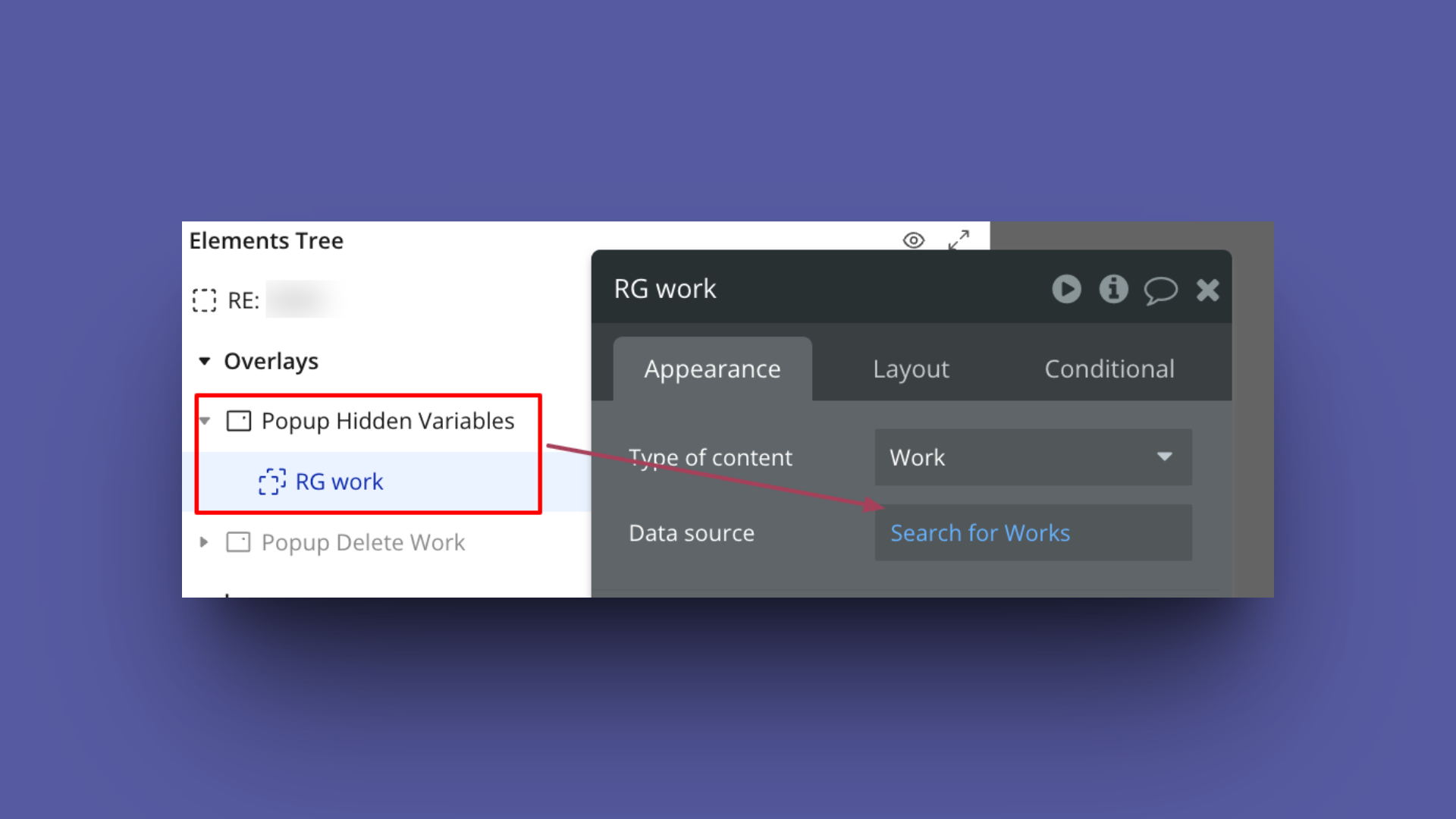
Step 1: Load the Repeating Group’s data in the pop-up
In this example, I am loading the data of work in a pop-up
Step 2: Install ‘Floppy: localStorage, List Shifter’ plugin

Step 3: Set up List Shifter as the data source of the Repeating Group of the page
Place the ‘List Shifter Pro’ element on the page and provide RG Work’s data as a List to shift shown in the image below
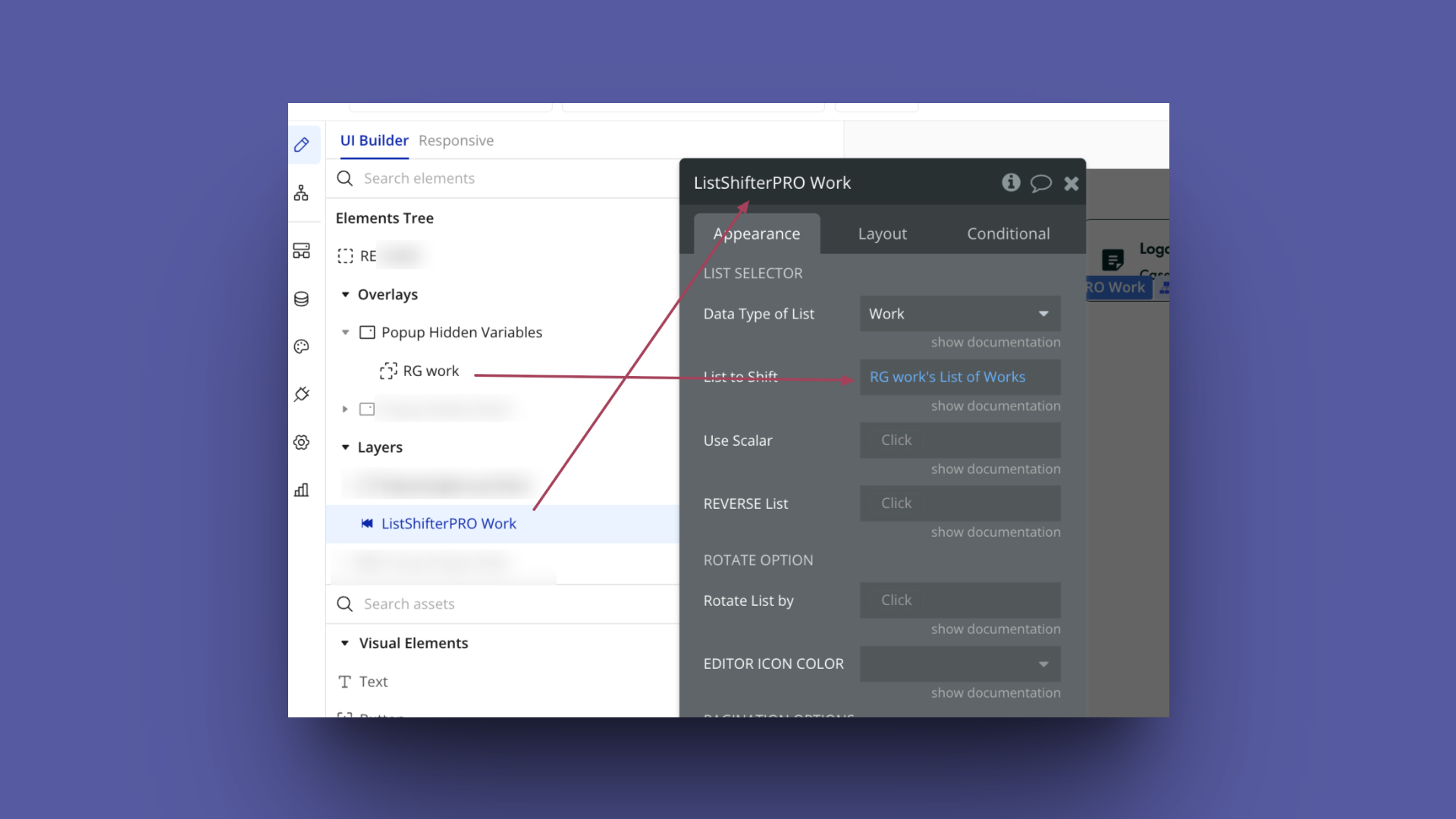
Now, place the ‘List Shifter’s shifted list’ as data source of the Repeating Group, which is on the page, and where you want to execute the sorting by field’s field, or in our case Work's Work_satellite's Modified date
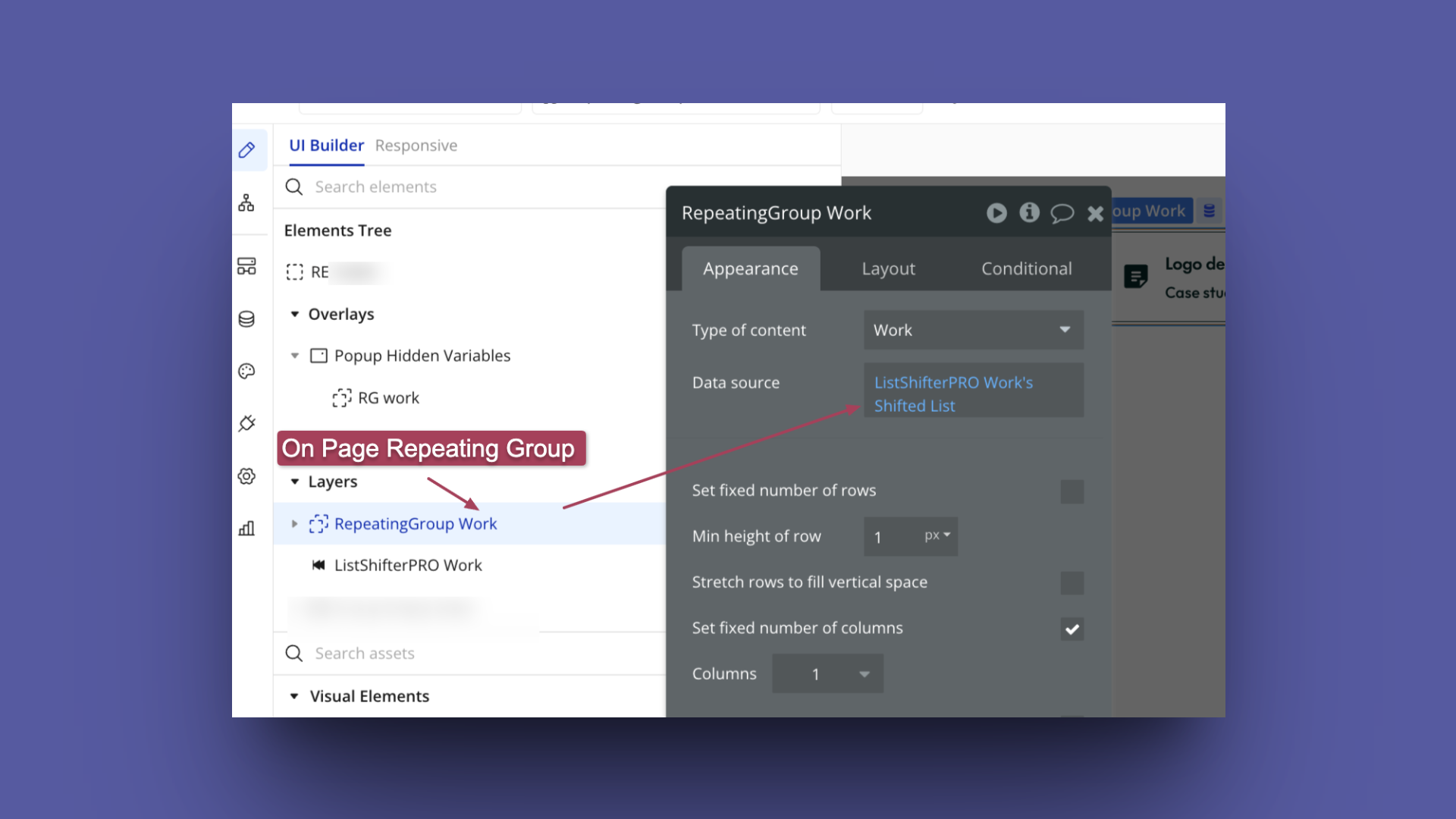
Step 4: Set up a workflow for sorting by the field’s field or the Nested field
You can either do the sorting by default when the Repeating Group is visible on page load, or you can execute the sorting when the user selects it via a dropdown or some other way.
I am setting this up as a custom event, which you can trigger on page load or when the user selects this nested field’s sorting.
I have created a custom event named ‘sort-list’ and added the action from the List Shifter plugin named ‘Sort List a List Shifter Pro
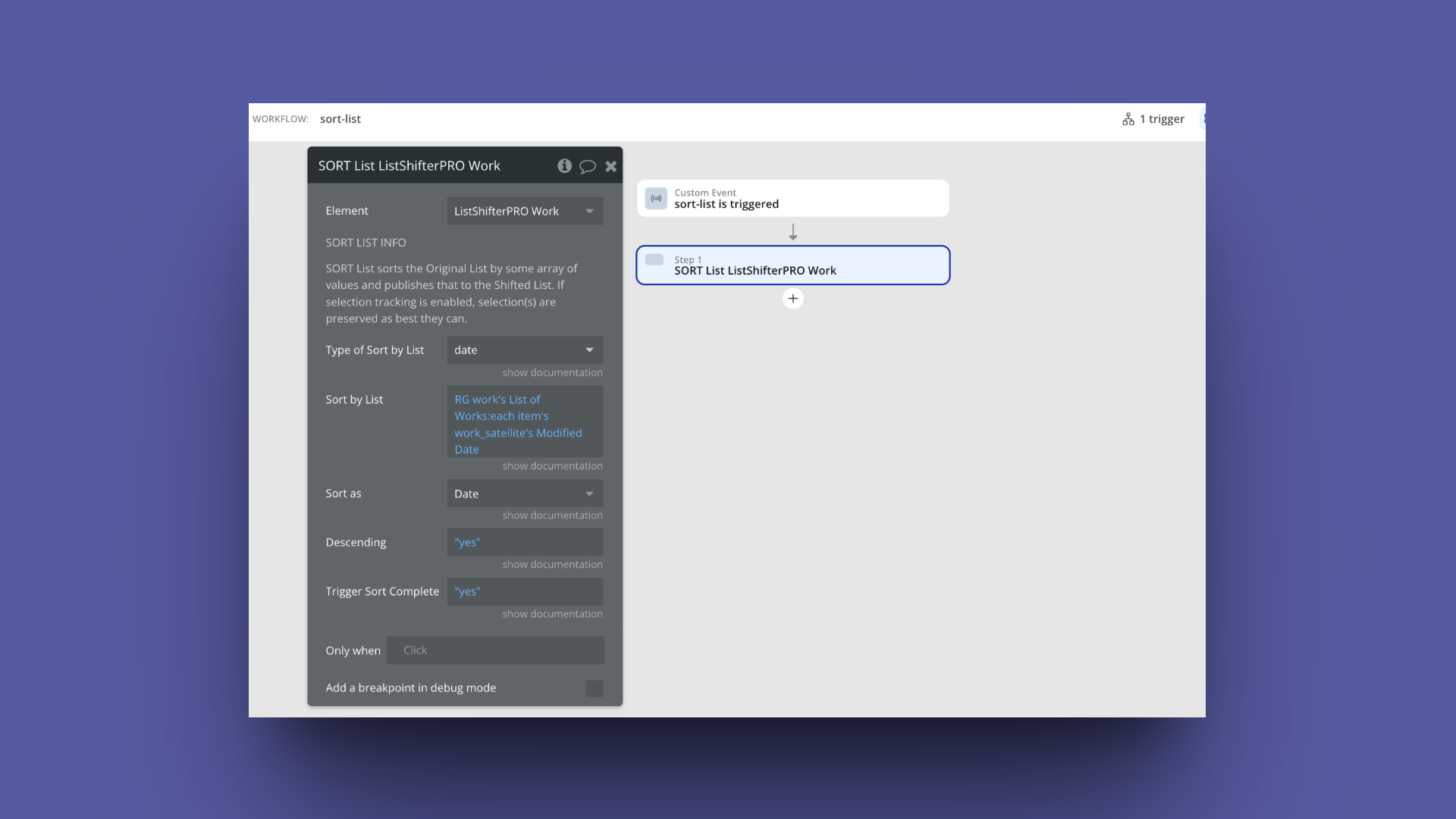
As you can see in the image above**, I want to sort the RG data via modified data of nested field, that is why I have selected ‘sort as’ and ‘type of sort by list’ as date.
In the ‘sort by List’, I have selected** RG Work’s List of Work’ each item’s work_satellite’s modified date. Here, RG Work is the repeating group from the popup, not from an on-page repeating group.
Step 5: Show the Repeating Group after nested sorting is completed
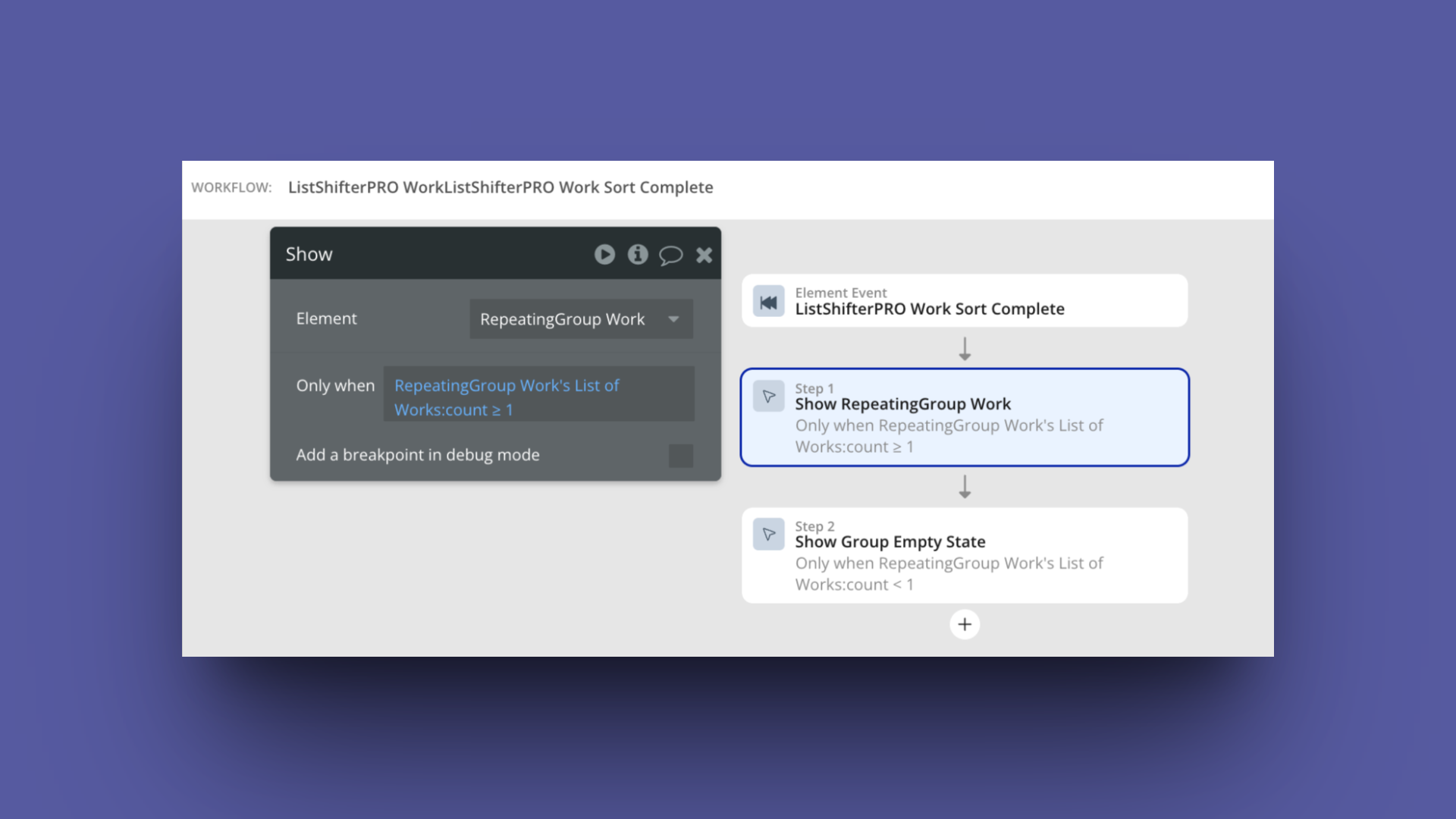
There is an event from the List Shifter plugin named ‘ListShifterPRO WorkListShifterPRO Sort Complete’ that will be triggered once the custom event of sorting is executed and sorting is completed. On completion, you can now show on the page the Repeating Group with sorting by Work's Work_satellite's Modified date