Article · Sep 11, 2024
How can openAI's markdown text be converted into HTML text with CSS style without code in Bubble? (Without Paid Plugin)
How can open AI's markdown text be converted to HTML with style without code in a bubble?
As you can see in the picture above, Open AI responds in markdown text format. This format is not best for the User Experience point of view. Here is how I made it look beautiful without a paid plugin and code.
Step 1: Install this free plugin
- 🤌 Markdown Pro is a free plugin created by Rico and by doing so he has done a great service to the bubble community. Here is the plugin Link: https://bubble.io/plugin/%F0%9F%A4%8C-markdown-pro-1664737464989x536991279033614340
Step 2: Setup in Bubble Page to convert from Markdown text format
-
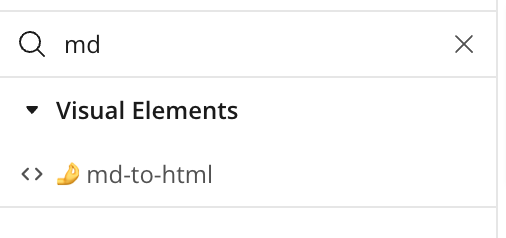
As you can see in the above image, there is an element called ‘🤌md-to-html’ that you will find on the design tab after installation of the plugin.
-
Then set the element as shown below:
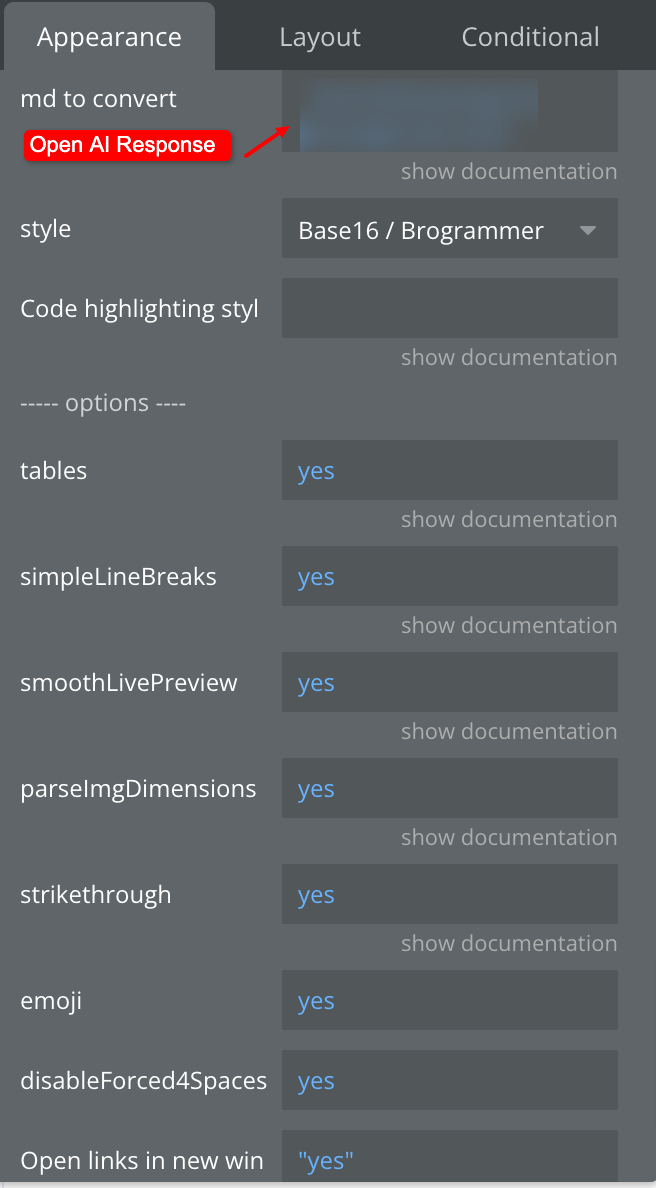
Make sure you provide Open AI’s response in ‘md to convert’ input of element.
-
Select a pre-defined style as shown in image below:
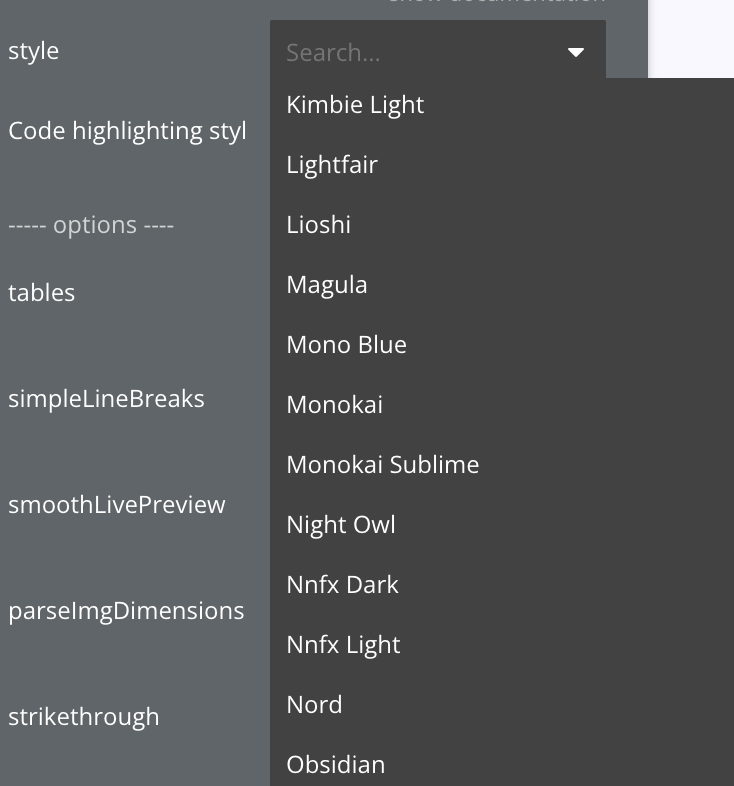
Step 3: Setup in bubble page to show converted content
-
Add an HTML Element on the page as a visual output of Open AI’s response where the User will see the output of their prompt.
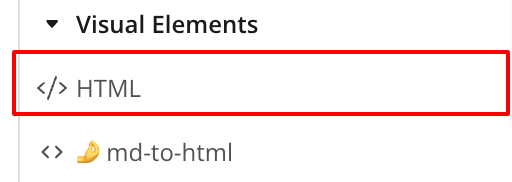
Here is how you set the output:
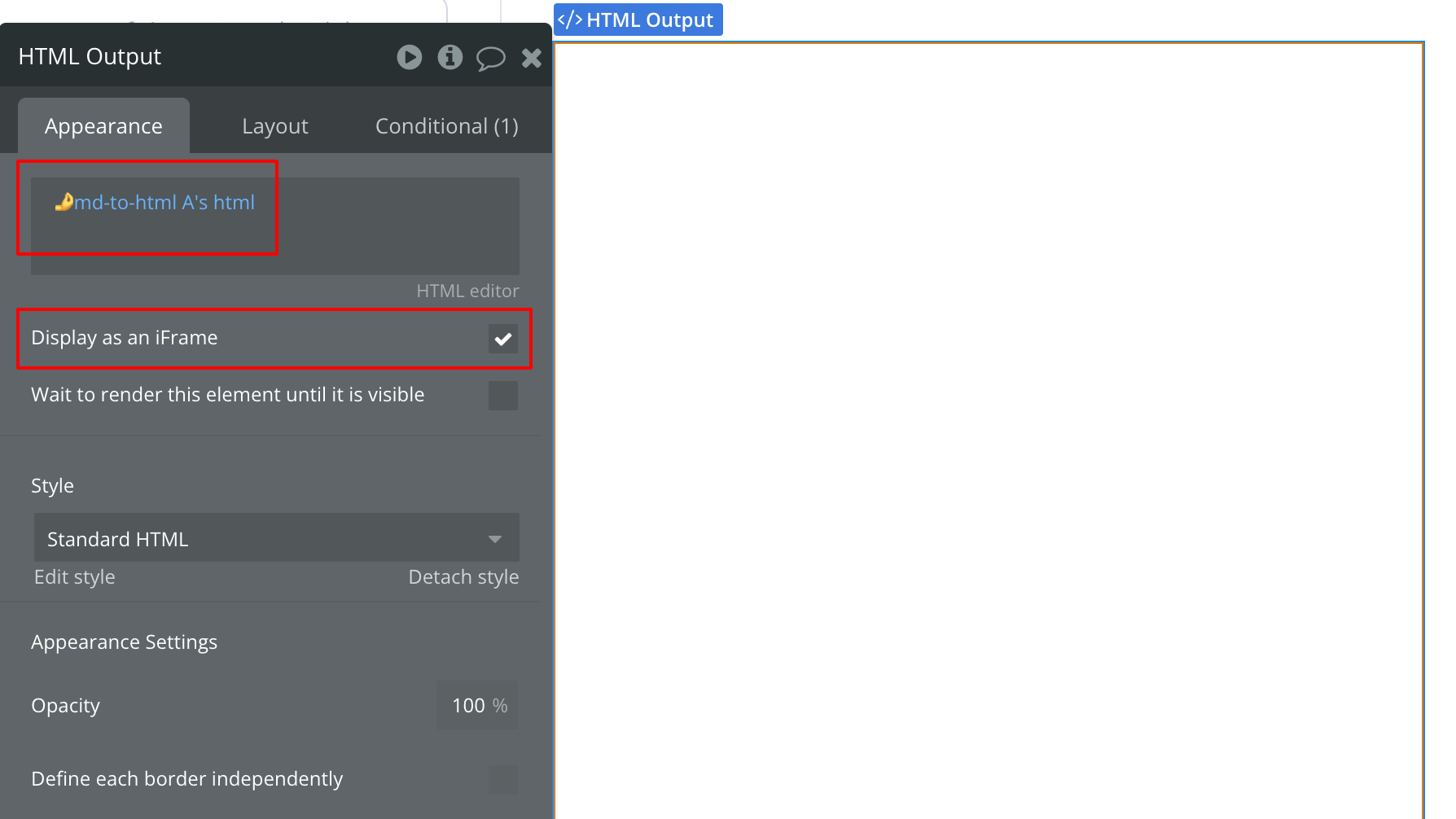
Now run this on your Page.
Here are the overall steps we followed to achieve this:
-
Receive Open AI output
-
Pass that output into markdown text to the HTML element
-
show that HTML converted text into HTML output.
Hope this will reduce your efforts!