You are about to work on a Bubble app that another developer built. Before you add anything, check four things. They are the ones I look at first.
Is a secret key sent from the browser?
API Connector calls that run from the browser expose their headers to every visitor. Open the page, open the browser’s network tab, and look at the headers of the calls it makes.
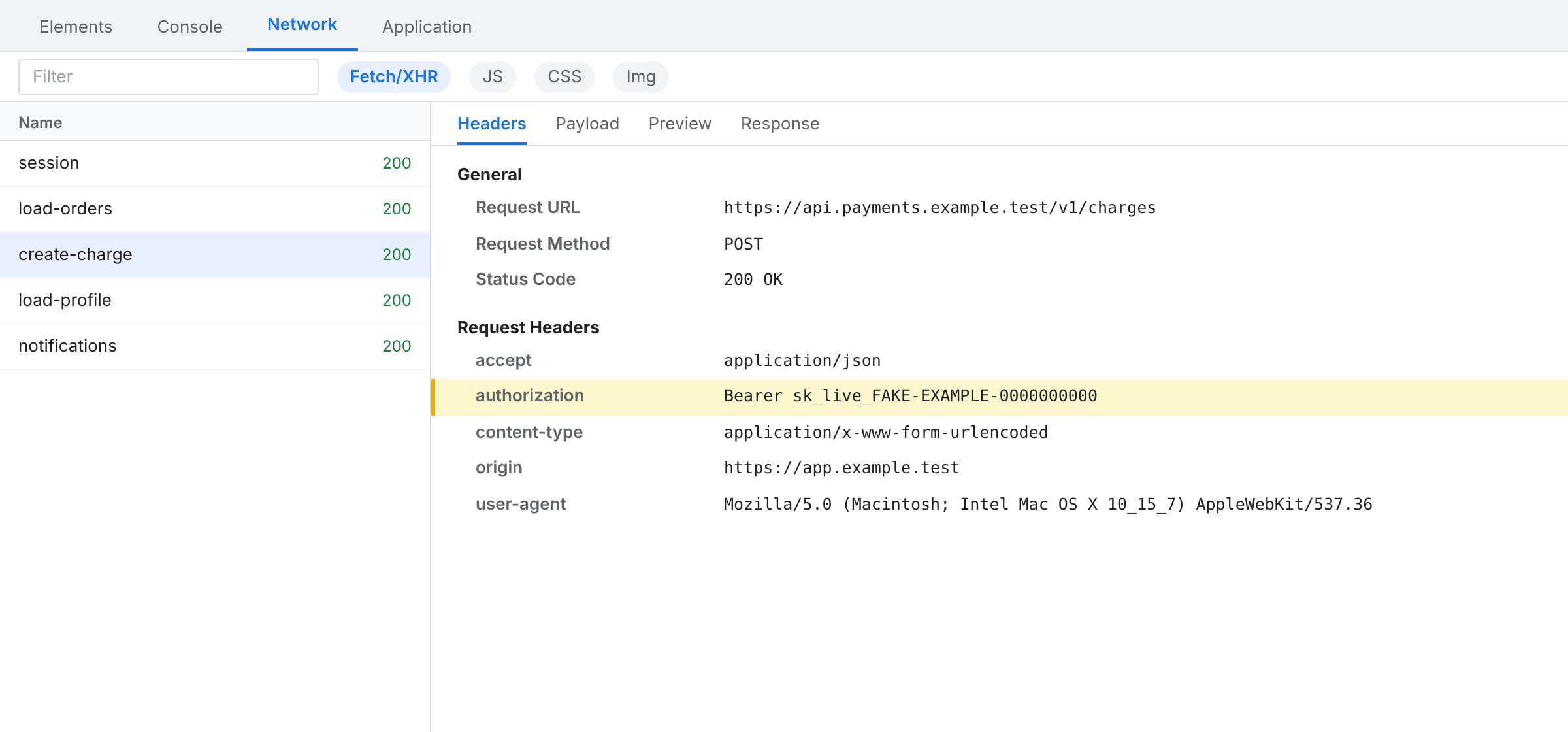
If a secret key shows up, it was visible to everyone who opened that page. Move the call into a backend workflow and rotate the key, because the old one has already been exposed. The setup is in my Bubble.io API security guide.
Do third-party keys work from any website?
A key that works from any website can be lifted from the page source. A key that has to sit in the page, a maps key for example, can still be limited to your own domains. Many providers let you set that in their console. Do it for each key.
Do webhooks check who is calling?
Webhook: A URL that another service calls to tell your app that something happened, such as a payment.
A webhook that does not check signatures accepts fake events. Stripe, for example, signs each event with a webhook secret. Verify the signature before any write to the database.
Are Privacy Rules wider than the product needs?
Privacy Rules: Bubble’s access rules for a data type. They set who can find and view each row.
If any logged-in user can read another account’s rows, the rules are too wide. Test it with two accounts: log in as one and try to see the other’s data. Then match each data type’s rules to what the product needs.
Taking over an app is a lot of my Bubble work, and these four checks are where I start. The rest of how I work on a live Bubble app is on my Bubble.io developer page.
Common questions
How do I check whether a secret key is visible in the browser?
Open the page, open the browser's network tab, and look at the headers of the calls the page makes. If a secret key is in a header, anyone who visits the page can read it.
How do I test Privacy Rules?
Log in as one user and try to see another user's data. If you can see it, the rules are too wide for what the product needs.
Why should a webhook check signatures?
A webhook URL is only a web address. Without a signature check, anyone who knows it can post a fake event, and your app will act on it.